
AI Phishing Protection Tools 2026 — Stop AI Attacks Before They Reach You
AI-generated phishing surged 1,265% last year. Traditional spam filters are dead. Here are the 8 best AI phishing protection tools ranked and reviewed — so you stop attacks before they destroy your inbox, your data, or your business.
📋 What’s Inside This Guide
Why Traditional Phishing Filters Are Completely Dead in 2026
Phishing used to be easy to spot. Broken grammar, Nigerian princes, generic subject lines. Your spam filter caught 90% of it. But that era is gone — permanently.
Today, attackers feed your company’s real emails into generative AI, train it on your communication patterns, and generate hyper-personalized attacks that mimic your CEO’s exact writing style. The result? Emails so convincing that even your most experienced finance manager would wire funds without question.
This is not a future threat. It is happening right now. Analysts at Check Point Research confirmed that AI is enabling attackers to build adaptive malware that rewrites its own code to evade detection — iterating against real email gateways until it slips through. Legacy tools that rely on known threat signatures have no answer for this.
The Signature-Based Filter is Dead
Traditional secure email gateways compare emails against databases of known threats. AI-generated phishing produces never-before-seen attacks every single time — meaning there is nothing to match. You need behavioral AI that understands normal vs. abnormal, not just known vs. unknown.
Modern AI phishing is also multimodal. It is no longer just emails. Attackers now combine:
- Convincing phishing emails (AI-written, perfectly toned)
- Deepfake voice calls impersonating your CFO
- Fake login pages indistinguishable from real ones
- Compromised Slack/Teams messages from real colleague accounts
- QR code phishing embedded in physical documents
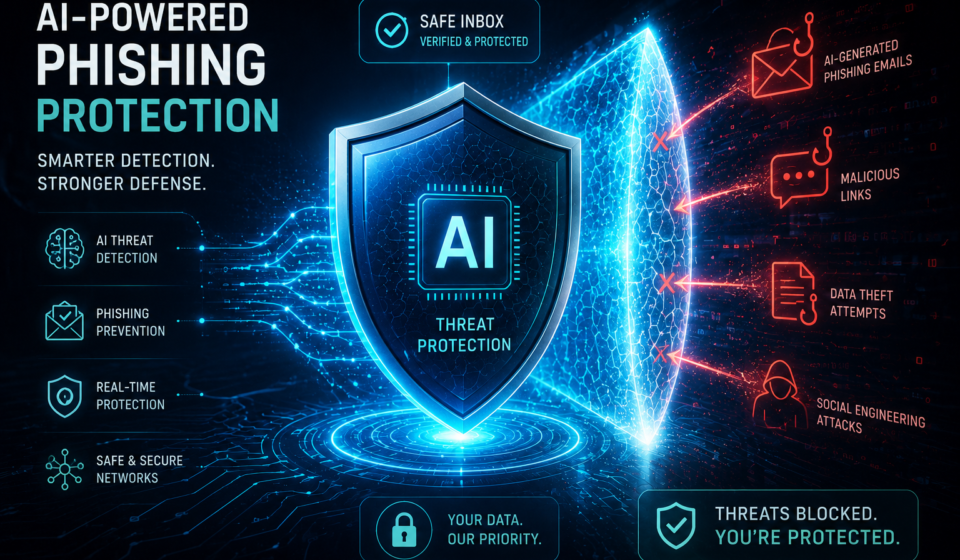
This is why you need a dedicated AI-native phishing protection layer — not just a better spam filter. And this guide will show you exactly which tools deliver it.
The 6 Most Dangerous AI Phishing Attack Types in 2026
Before picking a tool, you need to understand what you’re actually defending against. These are the attack vectors that are defeating old-school security right now:
AI-Generated Spear Phishing
AI scrapes LinkedIn, company websites, and social media to craft hyper-personalized emails using the real names, roles, and projects of your team members.
Deepfake CEO Fraud (BEC)
Business Email Compromise attacks now combine spoofed emails with AI-cloned voice calls. Finance teams are wiring millions based on “executive” calls that never happened.
Thread Hijacking
Attackers compromise one email account and inject malicious replies into real, ongoing email threads — so the phishing message appears inside a legitimate conversation.
OAuth Consent Phishing
Instead of stealing passwords, attackers trick users into granting malicious apps full access to Microsoft 365 or Google Workspace through fake OAuth permission popups.
MFA Fatigue Attacks
Attackers flood users with MFA push notifications until exhausted employees accidentally approve them. AI automates this at scale across thousands of accounts simultaneously.
Polyglot & Zero-Font Evasion
AI-crafted emails embed invisible text, use Unicode lookalike characters, and switch languages mid-sentence to fool both rule-based filters and older ML models.
Top 8 AI Phishing Protection Tools of 2026 — Ranked & Reviewed
We evaluated these tools across five dimensions: AI detection accuracy, false positive rate, deployment speed, post-delivery remediation, and value for money. Here’s exactly what you need to know about each one.
Abnormal Security has earned the top spot in 2026 by doing something other tools still can’t match: it builds a deep behavioral model of every single user and supplier in your organization — and then flags anything that deviates from it, even when the email looks completely legitimate on the surface.
This matters enormously in the age of AI-generated phishing, where attacks contain no malware, no suspicious links, and no red flags for traditional filters. Abnormal’s “superhuman understanding of human behavior” is exactly what catches these zero-payload attacks.
Named a 2024 Gartner Magic Quadrant Leader and trusted by enterprises including Valvoline, Ingersoll Rand, and Domino’s, Abnormal also provides SOC automation agents that eliminate manual triage — giving your team hours back every week.
✅ Pros
- Catches never-before-seen BEC attacks
- Autonomous remediation — minimal admin overhead
- Lightning-fast API deployment (15 mins)
- Explainable AI detections for audit trails
- SOC automation agents reduce analyst workload
❌ Cons
- Enterprise pricing — not for small teams
- No built-in employee training module
- Requires Microsoft 365 or Google Workspace
Proofpoint remains the weapon of choice for large enterprise security operations. Its ML models provide pre-delivery and post-delivery protection, with real-time URL sandboxing that checks links at the exact moment of click — not just when the email arrives. This is crucial for time-delay redirect attacks that only arm themselves after delivery.
Proofpoint also leads on threat intelligence depth, with global sensors monitoring billions of threats daily, and targeted attack protection (TAP) that specifically identifies which of your users are being targeted by nation-state and advanced persistent threat (APT) actors.
✅ Pros
- Industry-leading threat intelligence network
- Real-time URL click-time sandboxing
- Identifies highest-risk employees (VAP)
- Built-in security awareness training
❌ Cons
- Complex admin interface — steep learning curve
- High cost — one of the priciest options
- Deployment can take days/weeks for large orgs
If your organization runs Microsoft 365, Defender for Office 365 Plan 2 is the most cost-efficient upgrade you can make today. It adds Safe Links (real-time URL detonation), Safe Attachments (sandbox-based file analysis), anti-phishing policies, and attack simulation training — all within your existing Microsoft environment.
Microsoft’s global signals network processes trillions of data points daily, giving Defender exceptional visibility into emerging threats. The Plan 2 tier adds automated investigation and response (AIR), which drastically reduces SOC analyst time spent on email incidents.
✅ Pros
- Native M365 integration — zero friction
- Excellent value — often bundled in E5 plans
- Trillions of signals from Microsoft global network
- Attack simulator for employee training
❌ Cons
- Only works within the Microsoft ecosystem
- Not as strong on BEC detection as Abnormal
- Can have higher false-positive rates
Mimecast is the go-to choice for organizations that want URL rewriting, attachment sandboxing, impersonation protection, and email archiving all in one unified platform. Its AI-powered anti-phishing features include real-time URL protection that rewrites and inspects every link before the user can click it.
Mimecast also delivers strong impersonation protection, catching “display name deception” attacks where criminals use a trusted name with a completely different email domain. Its continuous monitoring and automatic signature updates ensure protection against newly emerging campaigns within hours of detection.
✅ Pros
- Excellent URL rewriting & real-time inspection
- Strong impersonation protection
- Includes cloud email archiving
- Works with both M365 and Google Workspace
❌ Cons
- Interface can feel dated compared to newer tools
- Some users report over-aggressive URL rewriting
Guardio works differently from every other tool on this list — it acts at the browser level, blocking phishing sites before they even fully load. This means it catches threats that arrive via SMS, WhatsApp, social media, and email links — not just inbox-based attacks. For remote workers and individuals, this is the most important gap to fill.
Guardio’s threat intelligence network is among the best available for consumer-grade protection, and it consistently blocks zero-day phishing domains within minutes of their registration — well before most email filters are updated. Deployment takes under 60 seconds.
✅ Pros
- Catches phishing from ALL channels — not just email
- Real-time warning before pages load
- Incredibly easy to deploy — Chrome extension
- Very affordable for individuals & families
❌ Cons
- Not a replacement for enterprise email security
- Chrome/Edge only — no Firefox or Safari
IRONSCALES takes a unique hybrid approach, combining AI-powered detection with a community threat-sharing network. When one IRONSCALES customer reports a phishing email, the AI immediately searches and remediates the same attack across all customer mailboxes globally — turning every reported threat into protection for everyone.
This crowdsourced intelligence model makes IRONSCALES exceptionally fast at responding to new campaigns. Its Themis AI copilot also gives SOC analysts plain-English explanations of every detected threat, dramatically reducing investigation time.
✅ Pros
- Unique community-based threat sharing
- Extremely fast incident response
- Excellent for mid-market security teams
- Themis AI copilot for analysts
❌ Cons
- Less strong on BEC than Abnormal
- Community model requires a large customer base to maximize value
Cofense focuses on a different and equally important dimension of phishing defense: human resilience. Its platform combines real-time phishing simulation (using actual active threat campaigns, not outdated templates) with managed threat detection powered by a global network of 35 million trained reporters.
When employees report suspicious emails through Cofense Reporter, real human analysts — not just AI — triage the threats and feed confirmed threats back into the detection engine. This human-in-the-loop approach catches sophisticated attacks that pure AI sometimes misses.
✅ Pros
- Real-world phishing simulations (live campaigns)
- 35M+ global threat reporters network
- Human analyst triage for high-fidelity results
- Excellent employee behavior change metrics
❌ Cons
- Detection leans heavily on human reporting
- Less automated than Abnormal or Microsoft Defender
Barracuda offers one of the most accessible entry points into serious AI-powered phishing protection. Its platform includes AI-based phishing and impersonation detection, account takeover protection, domain fraud protection (DMARC enforcement), and PhishLine simulation & training — all in a single bundle that small businesses can actually afford.
The AI engine analyzes thousands of signals per email, including communication patterns, sender history, and linguistic cues, to identify social engineering attacks that look completely clean on the surface. For organizations with 10–500 employees, this hits the sweet spot of protection vs. budget.
✅ Pros
- Affordable — excellent ROI for SMBs
- All-in-one: detection + training + DMARC
- Simple admin interface
- MSP-friendly with multi-tenant dashboard
❌ Cons
- Detection accuracy below enterprise leaders
- Less sophisticated AI than Abnormal or Proofpoint
Full Feature Comparison Table
Use this side-by-side comparison to quickly identify which tool fits your organization’s specific needs and budget.
| Tool | Best For | Behavioral AI | Post-Delivery | BEC Detection | Training | Price/User/Mo |
|---|---|---|---|---|---|---|
| Abnormal Security | Enterprise | ✓ | ✓ | ✓✓ | ✗ | Custom |
| Proofpoint | Large Enterprise | ✓ | ✓ | ✓ | ✓ | ~$6+ |
| MS Defender O365 | M365 users | ✓ | ✓ | ◑ | ✓ | ~$2+ |
| Mimecast | URL protection | ✓ | ◑ | ✓ | ◑ | ~$5+ |
| Guardio | Individuals & Remote | ✓ | ✗ | ✗ | ✗ | ~$10 |
| IRONSCALES | Mid-market | ✓ | ✓ | ✓ | ◑ | ~$6+ |
| Cofense | Training-first | ◑ | ◑ | ◑ | ✓✓ | Custom |
| Barracuda | SMB budget | ◑ | ◑ | ◑ | ✓ | ~$3+ |
✓ = Full support ◑ = Partial support ✗ = Not available ✓✓ = Best-in-class
How to Choose the Right AI Phishing Protection Tool
With eight strong options on the table, the right choice depends entirely on your situation. Here is a structured framework for making the right decision fast:
Define Your Primary Threat Vector
Are you most concerned about BEC and executive impersonation? Go with Abnormal or Proofpoint. Worried about employees clicking phishing links outside email? Guardio covers that gap. Focused on training your team to spot attacks? Cofense is your answer.
Know Your Email Platform
Microsoft 365 users should strongly consider Microsoft Defender as a baseline layer — it integrates natively and is often already included in enterprise plans. Google Workspace users are better served by Abnormal, IRONSCALES, or Mimecast, which have purpose-built Google integrations.
Assess Your Team Size & Budget
Under 50 employees? Barracuda or Guardio give you strong protection without enterprise price tags. 50–500 users? IRONSCALES or Mimecast hit the sweet spot. 500+ with a dedicated security team? Proofpoint or Abnormal are your tier.
Demand Behavioral AI — Not Just Signatures
Any tool you select in 2026 must use behavioral anomaly detection, not signature-based matching. Ask vendors specifically: “How does your tool detect a BEC email that contains no links, no attachments, and no malicious payload?” If they cannot answer clearly, walk away.
Layer Your Defenses
No single tool catches everything. The strongest posture in 2026 combines: a behavioral AI layer (Abnormal or IRONSCALES) + native email platform security (Microsoft Defender or Google Workspace Protection) + browser-level protection (Guardio) + employee training (Cofense or Proofpoint SAT).
Pro Tip: Always Enable DMARC, DKIM & SPF First
Before deploying any tool on this list, make sure your domain has DMARC, DKIM, and SPF properly configured. These free authentication protocols stop domain spoofing — the foundation of nearly all impersonation attacks. Without them, no amount of AI-powered filtering will close that gap.
Also Read: Pair Phishing Protection with a Strong Password Manager
Even the best phishing protection cannot help if your credentials are already compromised. Pair these tools with the best password manager of 2026 to ensure stolen credentials are unique per site. Also see our guide to the 1Password vs Dashlane 2026 comparison for the best options right now.
Frequently Asked Questions
Our Recommendations at a Glance
The single biggest mistake organizations make in 2026 is deploying only one layer of protection. The best defense stacks behavioral AI, browser security, and human training together.