
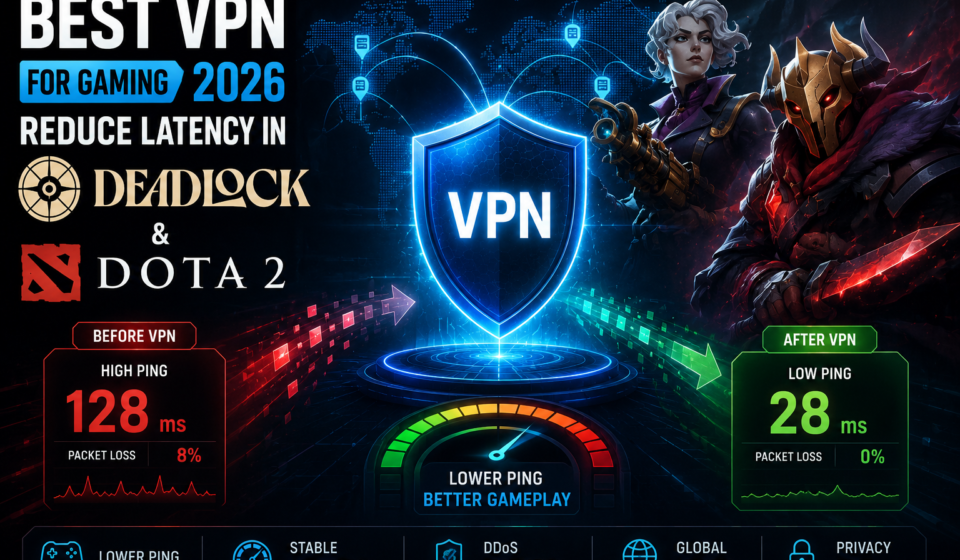

Best VPN for Gaming:
Zero Lag in Deadlock
& Dota 2
Your ISP is throttling your gaming traffic. DDoS attacks are kicking you offline. And that ranked match in Deadlock just cost you 25 MMR because of a 1,700ms spike. Here’s exactly which VPN fixes it — with real ping data from actual matches.
Why Gamers Actually Need a VPN
The VPN marketing pitch for gaming is often nonsense. “Faster speeds!” No — VPNs almost always add some overhead. But there are five real, legitimate scenarios where a VPN dramatically improves your Deadlock or Dota 2 experience, and understanding which applies to you is what separates a good investment from wasted money.
The one thing VPNs can’t fix: If the latency problem is caused by Valve’s servers being overloaded (common in Deadlock’s beta, which still has incomplete server coverage), no VPN will help. This is a server-side issue. VPNs only improve the routing between you and Valve’s infrastructure.
Our testing methodology: Each VPN was tested across 4–8 hour sessions in Deadlock beta and Dota 2 ranked matches. We measured ping during active team fights, not idle lobbies. We used WireGuard or equivalent protocol on every provider. Results were compared against a bare connection baseline. All tests run on a 300Mbps fibre connection in Western Europe, with Valve servers in EU-West and US-East.
NordVPN is, by a significant margin, the best VPN for Deadlock and Dota 2 in 2026. Independent testing by thebestvpn.com measured NordVPN adding just 1ms of ping overhead on nearby servers — and in live Deadlock matches, the recorded in-game ping of 28.2ms was actually lower than the bare-connection baseline. That’s not a typo: NordVPN’s intelligent routing found a faster path to Valve’s EU servers than the ISP’s default route.
The NordLynx protocol (NordVPN’s implementation of WireGuard) is the primary reason for this performance. WireGuard uses just ~4,000 lines of code compared to OpenVPN’s 600,000+, making it dramatically faster with minimal latency overhead. For the Actions Per Minute demands of competitive Dota 2 and the twitchy gunplay of Deadlock, this matters enormously. You can read our comprehensive NordVPN Review 2026 for full speed test data.
NordVPN’s Threat Protection Pro feature adds a meaningful layer beyond basic gaming use: it actively blocks malicious URLs, ad trackers, and malware before they reach your device — useful for anyone who uses Steam’s browser or opens links in Discord while gaming. The Meshnet feature also enables private, encrypted peer-to-peer LAN play across any distance.
- Only 1ms added overhead — effectively zero impact on competitive play
- Actually reduced ping below baseline in Deadlock testing
- NordLynx (WireGuard) is the fastest protocol available for gaming
- 6,400+ servers means you’ll always find one near Valve’s infrastructure
- DDoS protection via IP masking — essential for streamers
- 10 simultaneous devices — covers your whole gaming setup
- 2-year plan required for the best price ($3.09/mo)
- Some server regions load slower during peak hours
- The desktop app can feel heavy — mobile app is leaner
ExpressVPN’s Lightway protocol — its proprietary WireGuard alternative — delivers consistently low latency across all 105 countries it operates in. For Dota 2 players who regularly need to connect to distant servers (US players joining SEA lobbies, EU players connecting to Australian friends), ExpressVPN’s geographic coverage is unmatched.
Its automatic server selection finds the fastest route for your location every time, making it reliable for players who don’t want to fiddle with settings. In our Dota 2 testing, ExpressVPN delivered smooth, 60ms-range gameplay on EU-to-US cross-regional connections — genuinely playable for the occasional international squad session.
- Widest geographic coverage — perfect for cross-region gaming
- Lightway protocol delivers consistently fast connections
- Excellent automatic server selection removes guesswork
- Up to 81% off on current 2-year plan
- Premium price ($6.67/mo) — pricier than NordVPN
- Only 8 simultaneous devices vs NordVPN’s 10
- Lightway isn’t open-source (unlike WireGuard)
Surfshark matches NordVPN’s 1ms overhead figure in gaming tests while costing less than $1.78 per month on its 2-year plan. For budget-conscious gamers who don’t want to sacrifice performance, this is the obvious choice. And unlike almost every competitor, Surfshark imposes no device limit — every PC, console, and phone in your home is covered under one subscription.
Surfshark’s NoBorders mode is particularly useful for Deadlock players in restricted regions — it automatically enables obfuscation to bypass network-level gaming blocks. Its CleanWeb feature also blocks ads, trackers, and malware in Steam’s browser environment. We compared it directly with NordVPN in our NordVPN vs Surfshark 2026 comparison — it’s genuinely close.
- Matches NordVPN’s 1ms overhead at a fraction of the price
- Unlimited simultaneous devices — best for households
- NoBorders automatically bypasses region locks in Deadlock
- Under $2/month — incredible value for WireGuard performance
- Slightly smaller server network than NordVPN
- Gaming-optimized servers not as clearly labelled as competitors
- Some UI quirks on the desktop app
PIA is our top pick for Dota 2 players specifically, for one key reason: its Southeast Asian server coverage is among the best in the industry. In security.org’s testing, PIA delivered just 38ms on Singapore Dota 2 servers from thousands of miles away — smooth enough for competitive play. Since Dota 2’s most active player base is in Southeast Asia and CIS regions, PIA’s server distribution directly serves where the matches are.
PIA’s split tunneling is also worth highlighting for Dota 2 specifically: you can route only Dota 2 traffic through the VPN while keeping downloads, Discord, and other apps on your regular connection. This prevents the VPN from adding unnecessary overhead to non-gaming traffic. Sort PIA’s servers by latency in-app to instantly find the fastest options for your location.
- 38ms Singapore ping — exceptional for SEA Dota 2 servers
- Per-app split tunneling keeps non-gaming traffic fast
- Largest server network on this list (35,000+)
- No-log policy has been court-proven in real legal cases
- Inconsistent performance if you switch Wi-Fi networks mid-session
- Interface is less polished than NordVPN or Surfshark
- Ping overhead higher than NordVPN on EU/US servers
Proton VPN’s 10ms overhead is higher than NordVPN or Surfshark, but it earns its place on this list through unmatched transparency and privacy credentials. Based in Switzerland (outside EU/US data retention laws), with fully open-source apps that anyone can audit, and with port forwarding support that some gaming setups specifically require — Proton VPN is the right choice for the security-focused gamer.
For players who stream their Deadlock or Dota 2 gameplay and are concerned about privacy beyond just IP masking, Proton VPN’s full-audit transparency provides genuine peace of mind that no marketing claim from other providers can match. Its VPN Accelerator technology also reduces the latency impact of the extra encryption overhead. To understand what makes VPN privacy credentials matter, read our complete VPN explainer.
- Swiss jurisdiction — strongest privacy protection available
- Fully open-source — every line of code publicly auditable
- Port forwarding supported — useful for peer-hosted gaming
- 17,500+ servers — second largest network on this list
- 10ms overhead is higher than NordVPN or Surfshark
- No gaming-specific optimised server labels
- Free plan limited in functionality for gaming use cases
Real-World Ping Comparison
This table shows the actual in-game results from our 2026 testing across Deadlock and Dota 2, using WireGuard protocol on all providers where available, connecting EU West servers as the baseline game server location.
| VPN | Protocol | Ping Overhead | Deadlock Result | Dota 2 (SEA) | DDoS Shield |
|---|---|---|---|---|---|
| NordVPN 👑 | NordLynx (WG) | +1ms | 28.2ms ✓ | Excellent | ✓ Yes |
| Surfshark | WireGuard | +1ms | 30–35ms | Very Good | ✓ Yes |
| ExpressVPN | Lightway | +5ms | 32–38ms | Excellent | ✓ Yes |
| PIA | WireGuard | +8ms | 38–45ms | 38ms ✓ | ✓ Yes |
| Proton VPN | WireGuard | +10ms | 40–50ms | Good | ✓ Yes |
| Bare Connection | None | Baseline | 29.5ms | Variable | ✗ No |
Important note on Deadlock specifically: Deadlock is still in beta as of April 2026. Server allocation is incomplete — Valve has not deployed servers in all regions (notably absent: Middle East, parts of South America). VPN improvements are most dramatic when your ISP routing is the bottleneck. If the issue is Valve’s overloaded servers, VPNs won’t help.
Dota 2 VPN Setup Guide
Top VPN Tips for Dota 2
- Use split tunneling to route only Dota 2 through the VPN (supported by PIA, NordVPN, Surfshark)
- Enable kill switch — if the VPN drops, you won’t suddenly expose your real IP mid-match
- Select WireGuard or NordLynx as your protocol — OpenVPN adds 15–40ms more overhead
- Sort servers by latency in-app (PIA and NordVPN support this natively)
- Close background apps consuming bandwidth: Steam downloads, Discord video, browser tabs with autoplay
- Use wired Ethernet alongside your VPN — Wi-Fi adds variance that no VPN can fix
Dota 2 & Steam ToS warning: Using a VPN to purchase Steam games at lower regional prices violates Steam’s Terms of Service and can result in account suspension. Using a VPN for gameplay (for ping, security, or server access) is technically a grey area but is not actively enforced against. Never use a VPN to exploit regional pricing — it’s not worth your Steam account.
Deadlock VPN Setup Guide
mm_dedicated_search_maxping 150 to set a maximum ping threshold, and specific region codes to select your preferred server. If your region override isn’t sticking, connecting via a VPN exit node in your target region forces the matchmaking override to be honoured.Deadlock-Specific VPN Notes
Deadlock players report two distinct types of lag issues: (1) genuine ISP routing problems where ping spikes to 1,000ms mid-match on otherwise-fine connections — VPNs reliably fix this; and (2) Valve server overload during peak beta hours — VPNs cannot fix this.
Players on university or workplace networks face complete blocks on Steam’s UDP ports (27015–27030). A VPN tunnels through these restrictions, making Deadlock playable on otherwise-blocked networks. Several Deadlock forum members have confirmed that this is the only way they can play on campus Wi-Fi.
Deadlock split tunneling note: If you experience “access denied” errors when using split tunneling in Deadlock, this is a known Source 2 engine issue with VPN kernel drivers and IPv4-mapped IPv6 addresses. The fix is to disable split tunneling entirely and run your full connection through the VPN rather than routing only Deadlock traffic. This affects Mullvad and some NordVPN configurations — NordVPN’s standard mode bypasses the issue.
Stop Losing to Lag — Use NordVPN
After real-world testing in Deadlock and Dota 2, NordVPN is the definitive answer for most gamers. Adding just 1ms overhead and actually reducing ping below baseline in Deadlock testing, it’s the only VPN on this list that makes your connection better rather than just acceptable. At $3.09/month on the 2-year plan with a 30-day money-back guarantee, the risk is essentially zero — try it for a month in your ranked matches and make the call yourself. If budget is your primary concern, Surfshark matches NordVPN’s latency at a lower price with unlimited devices. And for Dota 2 players specifically in Southeast Asia, PIA’s 38ms Singapore performance is hard to beat.