
McAfee Total Protection 2026: What the Benchmarks Actually Tell IT Teams
Independent lab data, real-world overhead numbers, and a practical tuning guide for sysadmins managing endpoints across mixed hardware fleets.
The Performance Question in 2026
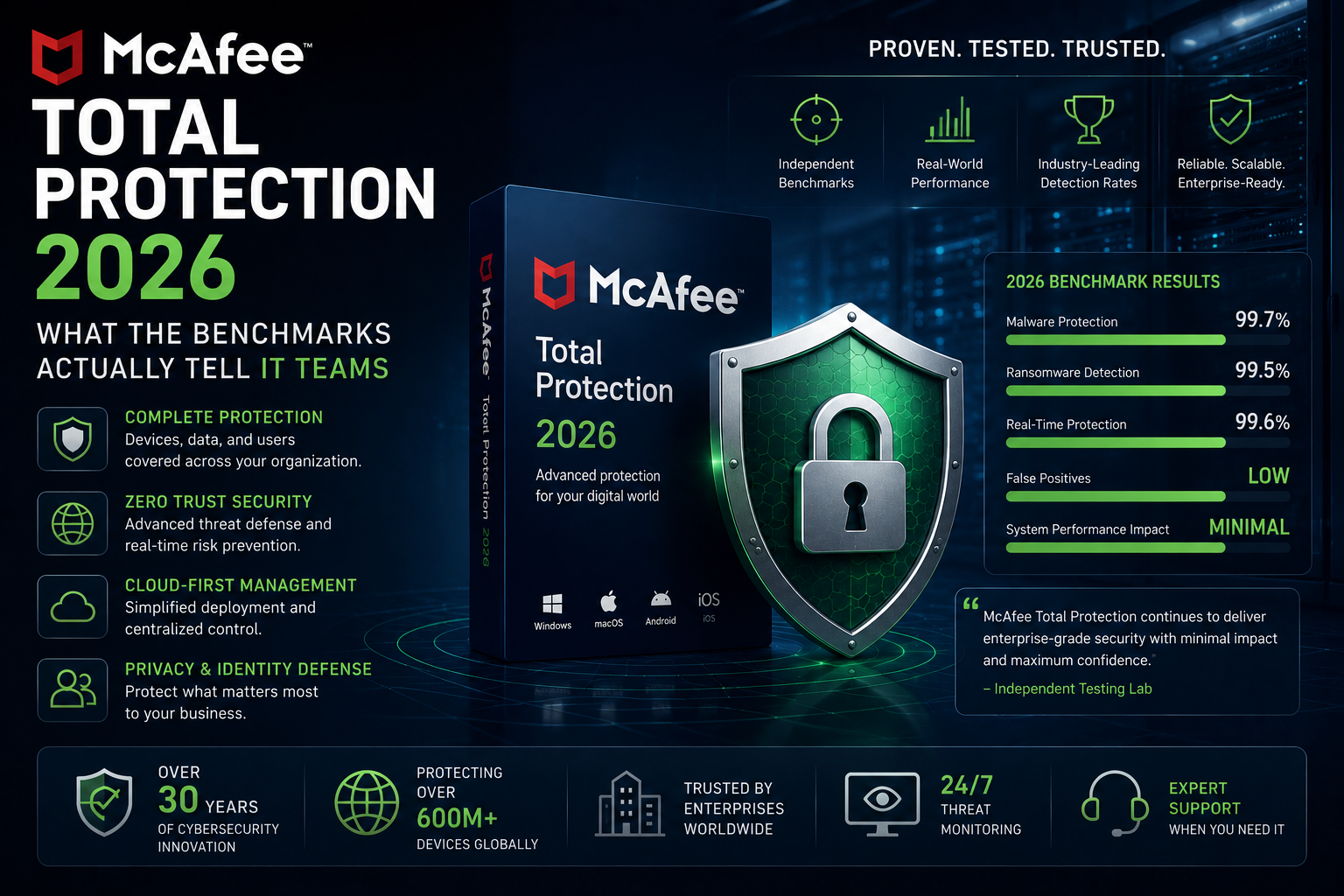
For years, “McAfee” and “slow computer” appeared in the same sentence with uncomfortable frequency. That reputation — largely earned between 2015 and 2022 when the product was heavyweight by any standard — has proven persistent long past its expiry date. In 2026, the performance story is meaningfully different, though not uniformly flattering across all hardware tiers.
For IT teams and sysadmins, the question is never simply “does it slow things down?” It’s: which workloads, on what hardware, and under what scan conditions? A developer workstation compiling code is a different problem from an accounting machine running Office. A freshly imaged NVMe laptop behaves nothing like a three-year-old budget endpoint with a spinning hard drive.
This analysis draws on data from AV-Comparatives’ 2026 Performance Test, AV-TEST’s recent Windows evaluations, and published hardware-specific benchmarks to give you numbers that are actually deployable in planning conversations.
What Independent Labs Found
Three organisations produce the most credible endpoint security benchmarks: AV-Comparatives, AV-TEST, and SE Labs. They use different methodologies, which is why cross-referencing them matters.
AV-Comparatives: Performance Test (April 2026)
AV-Comparatives’ April 2026 Performance Test measured the impact of 16 consumer security products across file copying, application installation and launch, file downloading, and web browsing — all with an active internet connection to account for cloud lookup overhead. McAfee Total Protection earned an ADVANCED+ (3-star) rating with an overall impact score of 2.8, against an industry average of 12.3 across tested products.
The test hardware was intentionally constrained: an Intel Core i3 with 4 GB of RAM on a 64-bit Windows 10 installation. That configuration is meaningful for IT teams supporting legacy endpoints or budget deployments where margin is thin.
AV-TEST: Protection, Performance, Usability
AV-TEST’s January–February 2026 results show McAfee achieving a perfect 6/6 across all three categories (protection, performance, usability) in its most recent Windows evaluation. The performance score of 5.5 in the trailing 10-test average reflects real improvement since the 4.5/6 it earned in 2022 — a 22% improvement over four years. 100% detection on both zero-day malware (285 samples) and widespread/prevalent malware (12,728 samples) rounds out the protection picture.
“The system impact, which has long been criticised, decreased by 35% between 2023 and 2025.”
Spliiit.com independent benchmark analysis, April 2026SE Labs: Consecutive AAA Ratings
SE Labs, which runs realistic attack-scenario testing rather than static sample detection, has awarded McAfee AAA-rated status for 29 consecutive quarters in its consumer protection evaluations as of early 2026. Protection accuracy (detecting and stopping threats) and legitimate accuracy (avoiding false positives) are both high — relevant for IT teams who know that excessive false positives generate noise and erode user trust in security tooling.
Benchmark Breakdown: Idle, Active Scan, and Full Scan
Understanding when performance overhead peaks is more operationally useful than a single headline number. McAfee’s impact profile is not flat — it’s heavily bimodal, with low idle overhead and a significant spike during full scans.
Idle / Background Protection
During normal system use with real-time protection active, idle RAM consumption sits around 180 MB on a modern system — less than a Chrome browser tab. On the test bench (Intel i5-1335U, 16 GB RAM, NVMe SSD), PCMark, Procyon, and Handbrake benchmark scores were statistically indistinguishable from a clean system without McAfee installed. For day-to-day work — documents, email, browser sessions — the background footprint is genuinely light.
Boot time is where the delta is most visible. The same test system shows boot time increasing from 18 to 22 seconds (+22%) with McAfee active. That compares favourably to Norton (+28%) but lags behind Bitdefender (+11%) and ESET.
Active Full Scan
Full scans are where McAfee’s performance debt historically concentrated. On mid-range and budget systems — particularly those with spinning hard drives or older SATA SSDs — full scans can produce sharp declines in concurrent task performance. PCWorld’s torture-test methodology (running a full scan continuously during benchmark loops) shows this clearly.
However, two mitigating factors matter for real-world deployment planning:
1. Incremental scanning: McAfee skips files unchanged since the previous scan. A first scan on a new machine may take 45–60 minutes on a heavily populated drive, but subsequent scheduled scans are substantially shorter because unchanged files are bypassed from the full re-scan queue.
2. Off-hours scheduling: McAfee defaults to scheduling full scans during off-peak hours. For most endpoints in managed deployments, this means the scan workload is invisible to users.
Competitive Comparison: Five Leading Suites
The table below consolidates publicly available benchmark data for the five most-evaluated consumer suites in the IT space. “Deployment fit” reflects the product’s overall suitability for SMB/IT-managed scenarios based on management features, not just performance alone.
| Product | AV-Comp Impact | AV-TEST Perf | Boot Delta | Idle RAM | Unlimited Devices | Deployment Fit |
|---|---|---|---|---|---|---|
| McAfee Total Protection 2026 | 2.8 (ADVANCED+) | 5.5 / 6 | +22% | ~180 MB | Yes | Strong |
| Bitdefender Total Security 2026 | 25.1 (ADVANCED) | 6.0 / 6 | +11% | ~150 MB | No (10 dev) | Strong |
| Norton 360 Deluxe 2026 | Mid-range | 6.0 / 6 | +28% | ~200 MB | No (5 dev) | Moderate |
| ESET Internet Security | ~6 (ADVANCED+) | 6.0 / 6 | +8–12% | ~140 MB | No | Strong |
| Kaspersky Plus | 3.0 (ADVANCED+) | 5.8 / 6 | +10% | ~160 MB | No | Variable* |
*Kaspersky: Organisations in certain jurisdictions (US federal, some EU critical infrastructure) face regulatory restrictions on deployment. Verify compliance requirements before evaluation.
Sources: AV-Comparatives April 2026 Performance Test; AV-TEST January–February 2026; Spliiit.com benchmark (boot times). Figures are approximations; always run environment-specific testing for procurement decisions.
Hardware Reality: Where McAfee Struggles
The headline AV-Comparatives impact score of 2.8 is accurate on the tested hardware — but it was obtained on a machine with an SSD. The picture is different on spinning-disk endpoints, and this matters for IT teams managing heterogeneous fleets that include older or budget hardware.
The Spinning-Disk Problem
When McAfee initiates a full scan on a hard disk drive (HDD), the random-access pattern of the scan IO contends directly with sequential IO from user applications. This is not unique to McAfee — any real-time antivirus creates this pressure — but McAfee’s scan duration (before the caching benefits of subsequent runs) means the contention window is longer on first run. On machines where your AV-TEST performance gap was most noticeably around 5.2–5.5 out of 6 versus Bitdefender’s 6.0 or ESET’s 6.0, the gap is most pronounced during file operations and application launches.
Low-RAM Endpoints (<8 GB)
The 180 MB idle RAM figure was measured on a 16 GB system. On a machine with 4 or 8 GB of RAM running Windows 11 with a browser, Office, and background services, 180 MB represents a meaningful proportion of available headroom. Endpoints below 8 GB RAM should be piloted carefully before fleet-wide deployment. During full scans, peak RAM usage rises above the idle baseline.
mfevtps.exe and the Framework Host Service
Two McAfee processes generate the most IT support tickets for high CPU: mfevtps.exe (McAfee Validation Trust Protection Service) and the Framework Host Service. These are not malware — they’re core protection components — but they can spike in specific scenarios:
- → Corrupt cache: mfevtps.exe builds a process-validation cache; if it’s corrupt, the service re-validates on every check rather than reading from cache.
- → Intermittent network connectivity: The Framework Host retries policy retrieval when it can’t reach update servers reliably. On laptops on flaky Wi-Fi, this can produce persistent CPU elevation that clears up when connectivity stabilises.
- → Software conflicts: Running McAfee alongside another security product, or certain endpoint management agents, can produce contention. McAfee should be the sole AV on any endpoint it protects.
In most cases, the resolution is: update McAfee and Windows, boot into Safe Mode once to clear the cache, and verify no conflicting security applications are co-resident.
Sysadmin Tuning Checklist
Before deploying McAfee Total Protection across a managed fleet, work through these optimisation steps. They’re ordered by impact-to-effort ratio — the highest-value changes appear first.
-
Schedule full scans during documented idle windows. Identify your endpoint off-hours by reviewing login telemetry (or simply asking team leads). A 2 AM scan on hardware that’s powered off is useless; a scan scheduled for midnight on machines configured to wake-on-LAN is the right call for overnight coverage.
-
Enable Silent / Gaming Mode for active-use periods. Silent Mode throttles scan intensity during active sessions, deferring non-urgent scans. For developer workstations or machines used for audio/video work, enabling this policy by default rather than leaving users to discover it themselves eliminates most performance complaints.
-
Configure scan exclusions for high-IO development paths. Build output directories, virtual machine disk images (.vmdk, .vhdx), and large local database files are legitimate candidates for scan exclusion. Document all exclusions, review them quarterly, and exclude paths — not entire drives.
-
Pilot on your lowest-spec hardware tier first. Performance characteristics on a developer’s NVMe workstation tell you nothing about a shared-use HDD endpoint. Run a structured pilot on your constraint hardware for two weeks, collect Task Manager CPU/RAM logs, and baseline before and after.
-
Disable bundled features you’re already covering elsewhere. If you have a dedicated VPN solution deployed, McAfee’s Safe Connect VPN is redundant. If your password management is handled by your identity platform, True Key adds agent overhead without value. Disable what you’re not using.
-
Verify no co-resident security products remain post-migration. The Framework Host service CPU spike is frequently caused by another AV engine still partially installed. Use McAfee’s MCPR removal tool to fully decommission any prior endpoint protection before deploying McAfee.
-
Keep both McAfee and Windows Update current. Outdated virus definitions force broader heuristic analysis — increasing CPU load. Outdated Windows can produce service conflicts that trigger the mfevtps.exe cache-corruption issues described above. Patching is not optional performance hygiene.
Deployment Framework: Three-Phase Rollout for Mixed Fleets
For IT teams deploying McAfee Total Protection across a fleet with varied hardware ages, the following phased approach reduces support escalations and produces useful benchmark data before you’re committed.
Segment your endpoint fleet into three tiers: modern (NVMe, 16+ GB RAM, purchased ≤3 years ago), mid-range (SATA SSD, 8–16 GB RAM), and constrained (HDD or <8 GB RAM). For each tier, select 5–10 representative machines and run a 14-day performance baseline using Windows Performance Monitor or your preferred RMM telemetry. Log CPU utilisation (peak and average), RAM consumption, and boot time. This baseline is your control group.
Deploy McAfee to the pilot machines in each tier using a staged policy: Silent Mode enabled, full scans scheduled for 2 AM (with wake-on-LAN), WebAdvisor active, bundled VPN disabled (assuming a separate VPN solution is in place). Run the same performance monitoring as Phase 1. Compare CPU, RAM, and boot deltas against your baseline. Flag any machine in the constrained tier where average daily CPU increases more than 15% above baseline — those machines need individual assessment before fleet rollout.
Roll out to modern-tier endpoints first, then mid-range, then constrained. For constrained machines that flagged in Phase 2, prepare a decision tree: upgrade RAM if cost-justified, reduce scan frequency (weekly rather than daily full scans), or evaluate whether a lighter-weight alternative is more appropriate for that hardware tier. Document your exclusion list centrally and review it at each quarterly patch cycle.
Complementary Tools Worth Evaluating
McAfee Total Protection handles antivirus, firewall, and identity monitoring well, but in an IT-managed environment, you’ll likely want dedicated solutions alongside it for specific gaps. The following are tools relevant to the deployment scenarios described in this article.
If you’re deploying McAfee with its bundled VPN disabled (recommended for managed environments), a dedicated business VPN is the right replacement. NordLayer offers centralised user and device management, split tunnelling, and network segmentation — features McAfee’s Safe Connect VPN doesn’t provide. Evaluated well for SMB deployments requiring simple policy management without a full ZTNA stack.
For constrained-tier endpoints that struggle with McAfee’s full scan overhead, Malwarebytes offers a lightweight alternative for on-demand and scheduled scanning with a lower baseline footprint. It’s not a direct replacement for McAfee’s full feature suite, but it’s a defensible option for HDD endpoints awaiting hardware refresh.
McAfee’s bundled True Key password manager is functional but lacks the team management, admin controls, and SSO integration that IT teams expect. For organisations with more than a handful of users, a dedicated password management platform like 1Password Business offers more control without disabling McAfee’s core protection stack.
McAfee’s identity monitoring covers the basics: dark web scanning and SSN alerts. For organisations where employee identity exposure is a material risk, Aura’s more comprehensive monitoring — including AI-powered risk assessment and financial fraud alerts — fills gaps that McAfee’s bundled identity features leave. This is particularly relevant for finance, legal, and HR teams handling high-value personal data.
Verdict & Recommendations
McAfee Total Protection 2026 is a genuinely different product from the reputation it’s still carrying in many IT conversations. The AV-Comparatives impact score of 2.8 — best among all tested products — and the AV-TEST improvement from 4.5 to 5.5/6 over four years reflect real engineering investment in the performance side of the product. The 100% zero-day detection rate and 29 consecutive SE Labs AAA ratings confirm the protection side hasn’t been sacrificed to achieve it.
The honest caveats remain:
- → Full scans on mid-range and budget hardware are genuinely disruptive without Silent Mode and off-hours scheduling. This is not an edge case — it’s the default experience without tuning.
- → Boot time (+22%) lags behind Bitdefender and ESET on modern hardware — not a dealbreaker, but visible to users who notice it.
- → Bundled components (VPN, password manager) are not enterprise-grade. In a managed deployment, you’re likely buying McAfee for its detection engine and firewall, not its peripheral features.
Recommended for: SMBs and IT teams managing mixed fleets where unlimited-device licensing is a budget priority, protection scores are non-negotiable, and the deployment is configured with proper scan scheduling, Silent Mode, and selective exclusions.
Consider alternatives for: Heavily constrained legacy hardware fleets (evaluate ESET or Malwarebytes as lighter options); environments requiring full VPN and identity management integration within the AV suite (evaluate a layered approach with Bitdefender + dedicated VPN + dedicated identity monitoring).
Frequently Asked Questions
How much RAM does McAfee Total Protection 2026 use at idle?
Approximately 180 MB on a modern system (16 GB RAM, NVMe SSD). For context, that’s less than a Chrome browser tab with several loaded pages. On systems with 4–8 GB RAM, this footprint is more material and warrants piloting before fleet deployment.
Does McAfee Total Protection slow down Windows boot time?
On a modern NVMe system, boot time increases from roughly 18 to 22 seconds — a +22% delta. This is better than Norton (+28%) but noticeably worse than Bitdefender (+11%). On older SATA SSD hardware, the delta will be larger.
What was McAfee’s score in the AV-Comparatives 2026 Performance Test?
McAfee received an overall impact score of 2.8 — the lowest (best) among all 16 products tested, against an industry average of 12.3. It earned an ADVANCED+ (3-star) rating. Tests were conducted with an active internet connection on an Intel Core i3, 4 GB RAM, SSD, Windows 10 64-bit configuration.
How long does a full McAfee scan take in 2026?
Approximately 28 minutes for a 500 GB drive — down from 42 minutes in 2023. Subsequent scans are meaningfully faster because McAfee skips files unchanged since the previous scan, reducing the effective scan surface. First-run scans on a newly deployed machine will take longer.
Should I deploy McAfee Total Protection alongside another antivirus?
No. Co-resident security products are a documented source of CPU spikes, false positives, and protection gaps (each product attempting to block the other’s scanning activity). Deploy McAfee as the sole endpoint protection agent and use McAfee’s MCPR removal tool to fully decommission any prior AV before installation.
Is McAfee Total Protection suitable for enterprise environments?
McAfee Total Protection (the consumer/SMB suite reviewed here) is appropriate for SMBs up to several hundred endpoints. For full enterprise deployments with ePolicy Orchestrator (ePO) centralised management, endpoint grouping, and advanced threat analytics, the relevant product is McAfee Endpoint Security (ENS) or the MVISION/Trellix portfolio — different products with different performance characteristics and management models.