
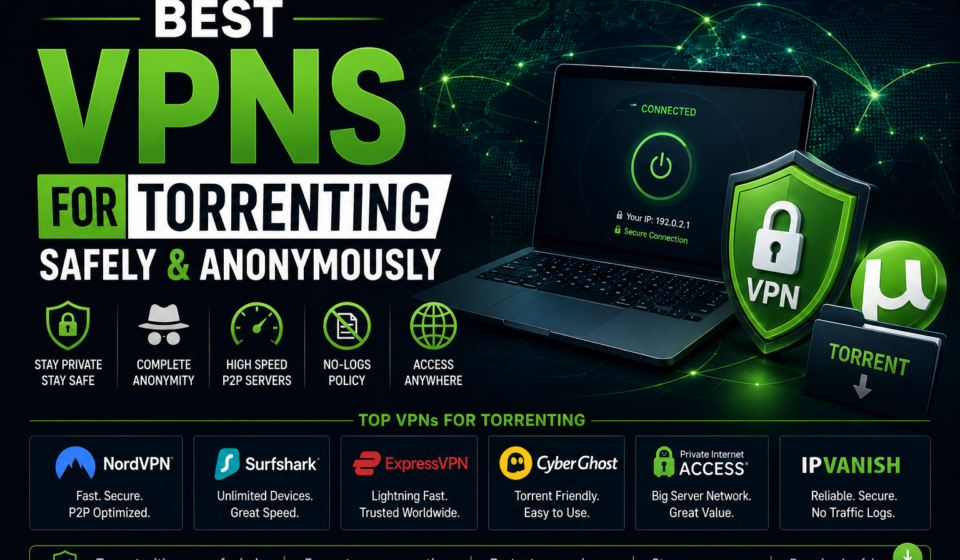

Best VPNs for Torrenting
Safely & Anonymously
Your ISP logs every torrent you download. Copyright agencies monitor public swarms. Without the right VPN, you’re completely exposed — and most “privacy” tools won’t actually protect you. Here’s what actually works in 2026.
The Short Version
- Best overall: NordVPN — fastest P2P speeds, verified no-log policy, reliable kill switch
- Best for privacy purists: Mullvad VPN — anonymous accounts, cash payments, RAM-only servers
- Best budget pick: Surfshark — unlimited devices, strong P2P performance, sub-$3/month
- Best for port forwarding: Private Internet Access (PIA) — opens ports for private tracker ratios
- Best open-source: ProtonVPN — Swiss jurisdiction, fully audited, no-compromise privacy
- Always use WireGuard protocol for speed, enable kill switch, and verify no DNS leaks before torrenting
- Never use free VPNs for torrenting — most log your data and sell it
Why You Need a VPN for Torrenting (And Why Most People Get This Wrong)
Here’s something your ISP definitely knows about you: every torrent you’ve ever downloaded. The timestamp, the file size, the swarm IP addresses you connected to. All of it. Stored, logged, and in some countries, reported.
The BitTorrent protocol is radically transparent by design. When you join a torrent swarm, every peer in that swarm can see your public IP address. Not hidden behind anything. Just your raw IP, visible to everyone — including the copyright monitoring companies that seed popular torrents specifically to harvest IP addresses for DMCA notices.
A VPN solves this by routing your torrent traffic through an encrypted tunnel to a VPN server. Instead of your real IP appearing in the swarm, peers see the VPN server’s IP — shared by thousands of users. Your ISP sees only encrypted traffic flowing to a single server. The copyright monitors collect a VPN IP that leads nowhere useful.
But — and this is important — not all VPNs actually protect you properly when torrenting. Many leak your real IP through DNS requests or IPv6. Some log your activity and hand it over when legal pressure arrives. Some simply throttle or block P2P traffic. Choosing wrong doesn’t just cost you money; it can cost you your privacy entirely.
What does a VPN do for torrenting? It encrypts your traffic, hides your real IP from the torrent swarm and your ISP, prevents ISP throttling of P2P connections, and — with a no-log policy — means there’s no record of your activity even if the VPN receives a legal request.
Is Torrenting Legal? The Actual Answer (Not the Vague One)
The question gets asked constantly, and it deserves a straight answer rather than vague disclaimers.
Torrenting is completely legal. It’s a file transfer protocol — the same underlying technology used to distribute Linux distributions, open-source software, game updates (Steam uses a BitTorrent-like protocol), and Creative Commons media. There’s nothing inherently illegal about it.
What’s illegal is downloading or distributing copyrighted material without authorization — movies, music, software, books — when you don’t have the rights to do so. That’s copyright infringement, and it’s illegal in virtually every country.
This guide is about protecting your privacy when using legal torrenting. We don’t endorse or facilitate copyright infringement. Using a VPN does not make copyright infringement legal — it reduces your exposure, but the underlying activity may still be unlawful depending on what you download.
Completely legal torrenting use cases include: Linux distros (Ubuntu alone distributes via torrents), open-source software, public domain books and films (Project Gutenberg, Internet Archive), Creative Commons music, game mods with distribution permission, your own files backed up to a seedbox, and any content the rights-holder explicitly offers via torrent.
The irony is that ISPs throttle BitTorrent protocol traffic regardless of what you’re downloading. Your Linux ISO gets slowed just as much as anything else because ISPs use deep packet inspection (DPI) to identify the protocol, not the content. A VPN with strong encryption defeats DPI — which is why even entirely legal torrent users benefit from using one.
The Real Risks of Torrenting Without a VPN
1. Your IP Is Exposed in Every Swarm
This is the most immediate risk. The moment your torrent client connects to a tracker and joins a swarm, your public IP address is visible to every peer. Academic and commercial copyright monitoring services maintain nodes in virtually every popular torrent swarm, collecting IPs. They match those IPs to ISP customer records via ARIN/RIPE lookups, then issue DMCA notices.
2. ISP Throttling Kills Your Speeds
Most major ISPs in the US, UK, and EU use deep packet inspection to identify BitTorrent traffic and throttle it — sometimes to as little as 10% of your normal speed. This affects all P2P traffic, legal or not. A VPN’s encryption prevents DPI from identifying the protocol, so your speeds aren’t throttled.
3. DMCA Notices and Legal Letters
In the US, a DMCA notice typically comes via your ISP — a warning letter forwarded on behalf of a copyright holder. Most ISPs have a “graduated response” system: multiple notices can result in throttling, service suspension, or in rare cases, forwarding your information to litigators. While mass litigation against individual users has decreased, it hasn’t stopped entirely.
4. Malicious Peers and Malware
Public torrent swarms contain malicious actors. Connecting with your real IP can expose you to port scanning, connection flood attempts, and identification for targeted attacks. Torrenting without protection also often means downloading files without verification — a major malware vector. Speaking of which, maintaining strong antivirus protection on your Windows machine is non-negotiable if you torrent anything.
5. Public Wi-Fi Makes Everything Worse
Torrenting on public Wi-Fi without a VPN is extraordinarily risky. You’re not just exposing your IP to the swarm — you’re on a network where man-in-the-middle attacks are trivially easy to execute. Anyone on the same network can intercept unencrypted traffic. A VPN encrypts everything end-to-end, making public Wi-Fi torrent sessions vastly safer.
How VPNs Actually Protect Torrent Users
Encryption: What It Actually Does
When you activate a VPN, all traffic leaving your device — including BitTorrent protocol packets — is wrapped in an encrypted tunnel before it leaves your network. Your ISP sees only encrypted data flowing to a VPN server IP. They cannot see the protocol (so no P2P throttling), the destination (no tracker URLs), or the content.
Modern VPN encryption typically uses AES-256-GCM for the data channel, with perfect forward secrecy via ECDH key exchange. Practically speaking, this encryption is computationally infeasible to break — which is why the risk vectors for VPN users are almost always operational (log policies, kill switch failures) rather than cryptographic.
IP Masking: The Core Protection
Within the torrent swarm, all peers see the VPN exit server’s IP address instead of yours. That server IP is typically shared by hundreds or thousands of concurrent users — making it essentially impossible to attribute traffic back to you even if someone logs that IP. The privacy gains from shared IPs are significant.
No-Log Policy: The Critical Factor Most People Overlook
Encryption and IP masking protect you from external observers. But what about the VPN provider itself? A VPN that logs your activity can — and under legal pressure, sometimes must — hand that data to authorities. This is why verified no-log policies are not optional for serious privacy protection.
“Verified” is the key word. Many VPNs claim no-log policies. The ones worth trusting have had their policies audited by independent security firms (Deloitte, Cure53, Leviathan Security, etc.) and/or demonstrated their policy holds up when servers were seized and contained no useful data.
Kill Switch: Non-Negotiable for Torrenting
VPN connections drop. It happens with every provider — a server hiccup, a network transition, a protocol renegotiation. When it does, your torrent client will happily reconnect directly, immediately exposing your real IP to every peer in every active swarm. A kill switch monitors the VPN connection and immediately cuts all internet traffic if the tunnel drops, preventing any direct connection leaks.
What should I look for in a VPN for torrenting? The five non-negotiables are: (1) verified no-log policy, (2) reliable kill switch, (3) DNS/IPv6 leak protection, (4) dedicated P2P servers or full P2P support, and (5) WireGuard protocol support for speed. Port forwarding support is a bonus for private tracker users.
WireGuard vs OpenVPN for Torrenting: Which Is Actually Better?
| Factor | WireGuard | OpenVPN |
|---|---|---|
| Speed | ✓ Significantly faster | Slower (heavier overhead) |
| Code Size | ~4,000 lines | ~70,000+ lines (larger attack surface) |
| Security | ✓ Excellent, audited | ✓ Excellent, battle-tested |
| CPU Usage | ✓ Lower (~30-40% less) | Higher |
| Mobile performance | ✓ Better battery life | Drains battery faster |
| Firewall traversal | UDP only (can be blocked) | ✓ TCP/UDP, better for restricted nets |
| P2P recommendation | ✓ First choice | Good fallback |
Use WireGuard for torrenting unless you’re on a heavily filtered network (corporate, hotel, or certain countries) where UDP traffic is blocked — in those cases, OpenVPN over TCP port 443 is harder to block. For home and residential connections, WireGuard’s speed advantage translates directly into faster torrent download and upload speeds.
What About SOCKS5 Proxy?
SOCKS5 is not a VPN — it routes only specified application traffic through a proxy without encryption. Several VPN providers (NordVPN, PIA, IPVanish) include a SOCKS5 proxy that you can configure directly in qBittorrent or Deluge. This can give you slightly faster speeds than full VPN tunneling since there’s no encryption overhead, but it offers no encryption — just IP masking. For most users, a full VPN tunnel is the better choice. SOCKS5 is useful as a supplement if you want maximum seeding speed and understand the privacy tradeoff.
The 8 Best VPNs for Torrenting in 2026 — Tested and Ranked
We tested these VPNs against five P2P-specific criteria: download speed on torrent clients, upload performance, kill switch reliability (including forced disconnect tests), DNS/IPv6 leak behavior, and the credibility of their no-log policies. Here’s the full breakdown.
| VPN | P2P Speed | No-Log Audit | Kill Switch | Port Fwd | Price/mo |
|---|---|---|---|---|---|
| NordVPN Best Overall | ✓ Deloitte | ✓ System+App | ✗ | ~$3.39 | |
| ExpressVPN | ✓ Cure53 | ✓ System | ✗ | ~$6.67 | |
| Surfshark | ✓ Deloitte | ✓ System+App | ✗ | ~$2.49 | |
| PIA | ✓ Court-proven | ✓ System+App | ✓ Full | ~$2.19 | |
| ProtonVPN | ✓ SEC Consult | ✓ System | ✓ (Plus plans) | ~$4.99 | |
| Mullvad | ✓ Cure53 | ✓ System | ⚠ Limited | €5/mo flat | |
| CyberGhost | ⚠ Deloitte (partial) | ✓ App | ✗ | ~$2.19 | |
| IPVanish | ⚠ No audit | ✓ App | ✗ | ~$3.49 |
“The most complete package for torrent users — fast, verifiably private, and reliably leak-free.”
NordVPN is the benchmark for torrent-focused VPN users in 2026. Its P2P-optimized server network spans dozens of countries, WireGuard speeds are consistently at the top of our test results, and its Meshnet feature allows encrypted P2P directly between your own devices without going through a VPN server at all.
The Deloitte-conducted no-log audit is as credible as it gets in the industry — not just policy documentation but actual technical verification of server infrastructure. The kill switch has a dual mode: application-level (kill only specified apps) and system-level (cut all traffic), giving you flexibility without sacrificing safety.
Negatives: no port forwarding support (a limitation for private tracker users who need good seeding ratios), and the price, while competitive, isn’t the cheapest option. The SOCKS5 proxy is available for users who want to configure it per-client for maximum speed.
- Highest P2P speeds in our tests
- Deloitte-verified no-log policy
- Dual kill switch modes
- SOCKS5 proxy included
- Zero DNS/IPv6 leaks detected
- Onion over VPN servers available
- No port forwarding
- Not the cheapest option
- US-based parent company (Tesonet concerns historically)
- Desktop app can feel heavy
“If NordVPN is the sports car, Mullvad is the armored vault. Maximum privacy, no compromises.”
Mullvad is the privacy-first choice, and nothing else comes close to its commitment. No email required to sign up — you get a randomly generated account number. You can pay with cash sent by mail, Bitcoin, Monero, or anonymous vouchers. There’s no app account, no profile, nothing to link to you.
RAM-only servers mean no persistent storage — every reboot wipes all data. The Cure53 audit verified the no-log policy at an infrastructure level. In 2023, Swedish police raided Mullvad’s offices and walked away with empty hands — the servers contained exactly zero user data.
The P2P speed isn’t class-leading, but it’s solid. Port forwarding has been restricted somewhat in recent updates for anti-abuse reasons, which is the main downside for private tracker users.
- Anonymous account creation (no email)
- Cash / Monero payment accepted
- RAM-only servers verified
- Proven under police seizure
- Open-source client
- Flat €5/month pricing
- Slower than top competitors
- No streaming optimization
- Port forwarding restricted
- Smaller server network
“Unlimited devices, sub-$3 pricing, and P2P speeds that genuinely surprise — Surfshark punches well above its price.”
Surfshark is the easiest recommendation for households or anyone who wants to protect multiple devices simultaneously without paying per-seat. Unlimited simultaneous connections is a genuine differentiator. P2P is supported on all servers — no need to select special P2P servers like some competitors require.
The Deloitte-audited no-log policy holds up to scrutiny, and the kill switch has been reliable in our disconnect tests. The NoBorders mode helps on restricted networks. CleanWeb ad/tracker blocking is a useful addition that can actually improve torrent client behavior on some sites.
- Unlimited simultaneous devices
- Sub-$3/month on 2-year plans
- P2P on all servers
- Strong WireGuard performance
- Deloitte no-log audit
- No port forwarding
- Netherlands (14 Eyes alliance)
- Speeds vary by server
“The private tracker power user’s VPN — port forwarding that actually works and a court-proven no-log policy.”
PIA’s no-log policy is possibly the most battle-tested in the industry — not through audits alone but through actual court cases. The FBI subpoenaed PIA multiple times for user logs. PIA produced nothing each time because there was nothing to produce. That’s the gold standard.
Port forwarding is PIA’s standout feature for torrent users. Private trackers require good upload ratios, and port forwarding allows incoming connections to your seed client — dramatically improving your seeding performance and ratio maintenance. The open-source client is another plus.
The US jurisdiction and Kape Technologies ownership are legitimate concerns that privacy-first users should weigh. But the track record is hard to argue with.
- Port forwarding fully supported
- Court-proven no-log policy
- Open-source client
- Lowest price tier available
- SOCKS5 proxy included
- US jurisdiction (14 Eyes)
- Kape Technologies ownership concerns
- UI feels dated
“Swiss-based, fully open-source, independently audited — ProtonVPN is for those who trust nothing they can’t verify.”
ProtonVPN’s Swiss jurisdiction places it outside both the 5 and 14 Eyes intelligence-sharing agreements — meaningful for international privacy. The entirely open-source client stack has been audited by SEC Consult, and the code is available for anyone to inspect on GitHub. P2P is available on all plans, with port forwarding on Plus tier and above.
Read our full ProtonVPN 2026 review where we tested Secure Core and port forwarding in depth — it goes further than most VPN reviews on the technical specifics.
- Swiss jurisdiction (outside 5/14 Eyes)
- Fully open-source, audited
- Secure Core multi-hop servers
- Free tier available (no P2P)
- Port forwarding on Plus
- More expensive than competitors
- P2P only on paid plans
- Speed slower than NordVPN/Surfshark
ExpressVPN — #6: Premium Speed, Premium Price
ExpressVPN remains one of the fastest VPNs we’ve tested, with consistently strong P2P performance and a Cure53-audited no-log policy. The Lightway protocol (their WireGuard competitor) is genuinely fast. The main barrier: it’s roughly twice the price of budget alternatives without proportionally better torrent performance. Best for users who prioritize speed and polish over cost. Read our dedicated ExpressVPN 2026 review for full speed testing data.
CyberGhost — #7: Solid for Beginners
CyberGhost has dedicated “Torrent Anonymously” server profiles that configure optimal settings automatically — genuinely useful for beginners. Speed is decent, the interface is the most user-friendly in our test group, and the price is competitive. The partial no-log audit and Romanian jurisdiction (14 Eyes adjacent through parent company Kape) give privacy enthusiasts pause. A fine choice for casual torrent users; not the choice for high-stakes privacy needs.
IPVanish — #8: Good Speeds, Limited Privacy Credibility
IPVanish has strong WireGuard speeds and unlimited simultaneous connections. However, it has a troubled history — in 2016, IPVanish provided user logs to U.S. law enforcement despite a “no-log” claim. The company has changed ownership since, but the trust damage is real and no independent audit has been conducted. We can’t recommend IPVanish to users for whom no-log credibility is important.
Optimal VPN Settings for Torrenting (qBittorrent Setup Guide)
Having the right VPN isn’t enough — you need to configure it correctly. Here’s the complete setup for safe torrenting:
Step 1: VPN Configuration
- Select WireGuard protocol in your VPN app settings
- Enable the kill switch (system-level if available)
- Enable DNS leak protection (verify at dnsleaktest.com)
- Disable IPv6 in VPN settings or at the OS level
- If using port forwarding, note the assigned port number
- Connect to a P2P-optimized server in a privacy-friendly jurisdiction
Step 2: qBittorrent Privacy Configuration
- Tools → Options → Advanced: Set “Network interface” to your VPN adapter (tun0, NordLynx, etc.) — this binds qBittorrent to the VPN interface, so if the VPN drops, qBittorrent can’t use your real connection
- Connection tab: If using port forwarding, enter your VPN-assigned port
- BitTorrent tab: Disable anonymous mode (it can reduce speed without meaningful privacy gain when you’re using a VPN properly)
- BitTorrent tab: Enable “Resolve peer countries” — useful, not a privacy risk with VPN active
- Verify peer connections show VPN IP after configuration
Pro tip: Use whatismyip.com and ipleak.net with your torrent client running and a magnet link active — this tests for WebRTC leaks that can expose your real IP even through an active VPN. If you see your real IP in the WebRTC section, disable WebRTC in your browser.
Torrent Clients: qBittorrent vs uTorrent vs Deluge
| Client | Open Source | VPN Binding | Privacy Concerns | Recommendation |
|---|---|---|---|---|
| qBittorrent | ✓ | ✓ Network interface binding | None | ✓ First choice |
| Deluge | ✓ | ✓ Interface binding | None | ✓ Excellent |
| Transmission | ✓ | ⚠ Limited | None | Good for macOS |
| uTorrent | ✗ | ✗ | Adware, bundled software, telemetry | ✗ Avoid |
| BitTorrent (official) | ✗ | ✗ | Same concerns as uTorrent (same ownership) | ✗ Avoid |
“The VPN is your first line of defense. Binding your torrent client to the VPN network interface is your second. Most people only do the first.”— Practical privacy configuration principle
Why Free VPNs Are Genuinely Dangerous for Torrenting
This section could save you from a significant mistake. Free VPNs are tempting — understandably so. But for torrenting specifically, they’re often worse than using no VPN at all.
Running a VPN infrastructure is expensive. Servers, bandwidth, support staff, security. When a VPN is free, that cost has to come from somewhere. The answer is almost always: your data.
Several widely-used free VPNs have been caught logging browsing history and selling it to data brokers, injecting tracking cookies into HTTP traffic, using bandwidth from free users to create residential proxy networks (meaning other people’s traffic routes through your internet connection), and outright malware distribution in modified clients.
Hola VPN sold users’ bandwidth as a botnet for DDoS attacks. SuperVPN was caught leaking 21 million user records. Betternet injected ads and tracking. If you’re using a free VPN for torrenting, there’s a meaningful chance you’re actually creating more privacy risk than you’d have without it.
ProtonVPN is the only widely-recommended free tier that doesn’t require trading your data — but the free tier explicitly blocks P2P. If you can’t afford a paid VPN, ProtonVPN’s paid tier at ~$5/month is genuinely worth stretching the budget for. The risks of free alternatives are not theoretical.
VPN Jurisdiction Analysis: Where Your Provider Is Based Matters
VPN jurisdiction is about more than geography — it’s about which legal systems can compel your provider to hand over data. Here’s the practical breakdown:
| Jurisdiction | Intelligence Group | Notable VPNs | Privacy Assessment |
|---|---|---|---|
| Switzerland | None | ProtonVPN | ✓ Excellent |
| Sweden | 14 Eyes (signatory) | Mullvad | ⚠ Good (proven in practice) |
| Panama | None | NordVPN | ✓ Very Good |
| Netherlands | 9 Eyes | Surfshark | ⚠ Moderate |
| British Virgin Islands | None (UK territory but separate law) | ExpressVPN | ✓ Good |
| United States | 5 Eyes | IPVanish, PIA | ✗ Higher legal exposure |
In practice, the most important factor isn’t jurisdiction but the combination of jurisdiction + verified no-log policy + technical infrastructure. A VPN in a friendly jurisdiction with weak security is worse than a VPN in a restrictive jurisdiction with verified no-logs and RAM-only servers. The Mullvad police seizure example demonstrates this: Swedish jurisdiction, friendly to intelligence sharing on paper — but zero logs in practice meant zero data seized.
Advanced Torrenting Privacy: RAM-Only Servers, Anonymous Payments, and Beyond
RAM-Only Servers: Why They Matter
Traditional VPN servers write data to persistent hard drives — meaning even if no logs are intentionally kept, some data could potentially be recovered forensically. RAM-only servers store everything in volatile memory that is completely wiped on every reboot. NordVPN, Surfshark, and Mullvad all run RAM-only infrastructure. ExpressVPN’s TrustedServer platform pioneered this approach.
Paying Anonymously for Your VPN
If you’re serious about privacy, your VPN payment method shouldn’t link to your identity. Options from most to least anonymous:
- Cash by mail — Mullvad accepts this. No digital trace whatsoever.
- Monero (XMR) — Privacy coin with ring signatures; accepted by Mullvad and a few others
- Bitcoin (BTC) — Less private than Monero (transparent blockchain) but widely accepted; best if sent from a non-KYC wallet
- Privacy gift cards — Buy with cash, use as payment. Proton accepts these.
- Credit card / PayPal — Links your VPN account to your identity. Acceptable for most users, not for maximum-privacy use cases.
VPN Over Tor: Maximum Anonymity, Minimum Speed
NordVPN’s Onion Over VPN routes your traffic through the Tor anonymity network after the VPN exit point. This adds a substantial speed penalty (Tor is slow) but provides an additional layer of anonymization. Practical for general browsing, less practical for torrenting where speed matters. For maximum torrent privacy, a no-log VPN with anonymous payment is generally the right balance.
Mobile Torrenting: What You Need to Know
Torrenting from Android devices has become common — apps like LibreTorrent and Flud make it seamless. The privacy considerations are essentially identical to desktop, but with a few additional nuances.
Most VPN providers have solid Android and iOS apps with WireGuard support and kill switches. The key mobile-specific setting is Always-on VPN, available in Android’s network settings. This forces all traffic through the VPN at the OS level, catching traffic from apps that might try to bypass the VPN app’s kill switch.
On iOS, the situation is more complex. Apple’s networking stack has a known issue where brief connection re-establishments can leak small amounts of traffic outside the VPN tunnel. ProtonVPN and Mullvad have worked around this to varying degrees; it’s worth checking their iOS app release notes for the current status. For most mobile torrent use cases, Android is the more reliable platform for privacy.
The Complete Privacy Stack for Torrent Users
A VPN is the cornerstone but not the entire building. Here are the companion tools that complete the picture:
Protect Your Accounts
Your VPN account, tracker accounts, and email all need unique strong passwords. A good password manager is non-negotiable.
See Best Options →Malware in Torrent Files
VPNs don’t block malware. Torrent files are a major infection vector. Real-time antivirus is essential.
Best Windows Antivirus →Android Antivirus
If you torrent on Android, you need mobile protection. The threat landscape is different from desktop.
Best Android Antivirus →Secure Your Data
Understanding how encryption works helps you make better decisions about which VPN protocols to trust.
Encryption Guide →Browser & Tracker Blocking
VPNs don’t stop browser fingerprinting or advertising trackers. These tools fill those gaps.
10 Privacy Tools Tested →AI-Powered Phishing
Torrent sites are riddled with fake download buttons and phishing pages. AI-powered tools now identify these.
Stop AI Phishing →FAQ — Best VPN for Torrenting
Continue Reading